

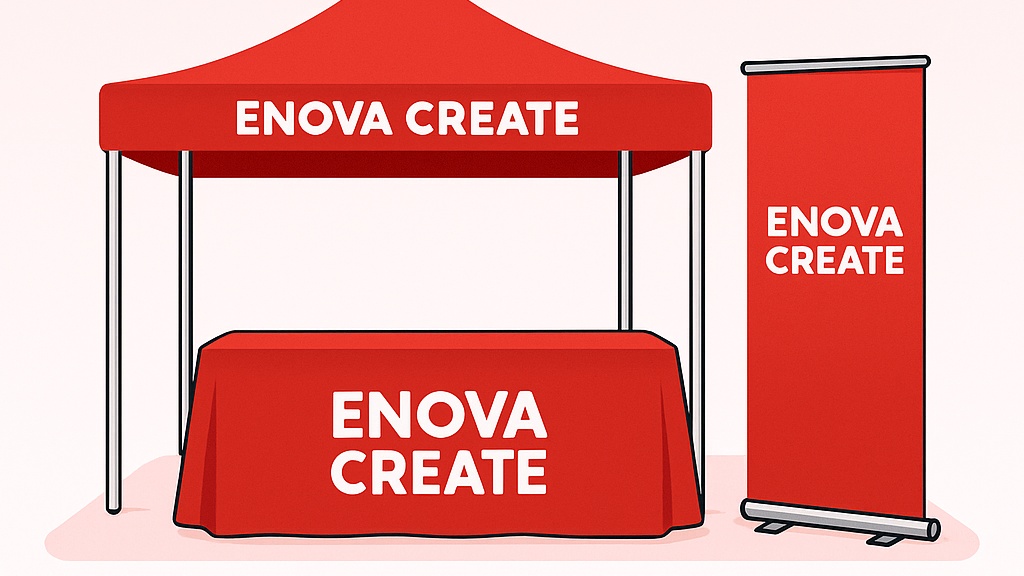
Great booths are simple, bold, and easy to read from 10–20 feet away. Use the tips below to plan a display that attracts traffic and helps your team start more conversations.
Quick wins
- Anchor with height: A canopy or backwall grabs sightlines above the crowd.
- One big idea: A short headline (≤ 5 words) + a single call-to-action.
- Color pop: Use your brand red for focus; keep backgrounds light and uncluttered.
- Motion matters: Flags or a looping TV reel add movement and pull attention.
- Greeter zone: Keep the front of the booth open—no table wall across the aisle.
Popular display types (what to use & when)
| Display | Best for | Pros | Notes |
|---|---|---|---|
| Canopy Tents | Outdoor fairs, festivals, parking-lot promos | Big presence, shade, printable walls/valance | Check local weights/tie-down requirements |
| Retractable Banners | Quick set-ups, rotating topics | Lightweight, stores in base, budget-friendly | Keep copy minimal; visible area ≈ top 60% |
| Step-and-Repeat Backdrops | Photo ops, brand walls | High impact, reusable frames | Use 150–200 DPI at full size |
| Table Throws/Runners | Info tables, giveaways | Clean brand surface, hides storage | Standard 6′/8′ throws; add topper for contrast |
| Feather/Blade Flags | Wayfinding, outdoor attention | Tall and kinetic | Choose base (cross/ground/spike) per venue |
| Rigid Signs (Foam/PVC/Aluminum) | Menus, schedules, directional | Sharp, durable, easy to mount | See our substrate guide for best material |
Design & messaging
- Hierarchy: Headline (largest) → benefit or proof → CTA.
- Typography: Sans-serif at 120–200 pt for backdrops; 80–120 pt for banners.
- Imagery: Use 1–2 strong photos or a single illustration—avoid collages.
- QR codes: Point to a simple landing page (offer, sample, or booking).
Sizing & resolution
For large format, 150–200 DPI at full size is usually perfect. If the file is enormous, scale to 50% at 300–400 DPI. Add 0.125″ bleed (or per template) and keep critical content 0.25–0.5″ from edges and hardware clamps.
Lighting & hardware
- Clip lights for backdrops add contrast and vivid color.
- Weights & tie-downs for outdoor setups (most events require them).
- Carrying cases keep graphics clean and speed up load-in.
Logistics & timeline
For best results, plan backwards:
- T-14 days: Approve artwork & order hardware/prints.
- T-7 days: Test assemble; check parts and fit. Pack gaffer tape, zip-ties, wipes, squeegee.
- T-1 day: Layout mock on floor; pack in setup order.
Printable checklist
- Headline (≤ 5 words) + CTA
- High-res files with bleed & safe margins
- Power/lighting plan and cable management
- Giveaway or offer + QR code landing page
- Weights/permits for outdoor events
Need help choosing displays?
Tell us your booth size and goals—we’ll recommend a kit that fits your budget.
Tell us your booth size and goals—we’ll recommend a kit that fits your budget.